
Loading game…
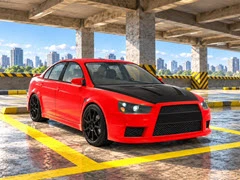
Parking Shift: Car Simulator


Parking Shift: Car Simulator
Sharpen your driving skills in Parking Shift: Car Simulator. Tackle 41 precision parking tasks, avoid crashes, customize cars, and beat the clock!
- Plays:
- 1
- Developer:
- KreizLand
- Published:
- Genres:
- Parking Games, 3D Car Games
- Game engine:
- WebGL
- Language:
- English, Russian, Spanish, Portuguese, Portuguese, French, German, Italian, Turkish, Polish, Indonesian, Dutch, Ukrainian, Vietnamese, Chinese
About Parking Shift: Car Simulator
Parking Shift: Car Simulator is a free Parking Games game that you can play at Car-RacingGames.com. It has been played 1 times.
Experience pure driving accuracy in Parking Shift: Car Simulator, where every inch counts toward your success. Tasked with clearing 41 progressively demanding parking stages, players must maneuver either a sleek sport sedan or a durable 4x4 through cramped environments. Your primary objective is simple yet challenging: guide the entire vehicle safely into the designated parking bay and keep it completely inside until the countdown timer expires.
Careless driving will cost you dearly thanks to the strict three-heart damage mechanic. Hitting walls or obstacles drains your health instantly, making smooth, calculated movements essential from the very first layout to the final test. The gameplay demands versatility, requiring both forward and reverse parking techniques. If you ever find yourself struggling to line up a shot, you can easily switch camera perspectives, use the free-look mouse drag feature to check blind spots, or activate the optional parking helper.
Progression in Parking Shift: Car Simulator feels rewarding because your hard-earned achievements translate directly into garage upgrades. Modify your vehicle's aesthetic features—including custom paint, neon accents, and wheels—or enhance its capabilities while your game progress automatically saves in the background. It is a comprehensive test of patience and control for dedicated driving game fans.
If you like this game and want to play similar cool car games, just go to the Parking Games, 3D Car Games category(/categories).
Experience pure driving accuracy in Parking Shift: Car Simulator, where every inch counts toward your success. Tasked with clearing 41 progressively demanding parking stages, players must maneuver either a sleek sport sedan or a durable 4x4 through cramped environments. Your primary objective is simple yet challenging: guide the entire vehicle safely into the designated parking bay and keep it completely inside until the countdown timer expires.
Careless driving will cost you dearly thanks to the strict three-heart damage mechanic. Hitting walls or obstacles drains your health instantly, making smooth, calculated movements essential from the very first layout to the final test. The gameplay demands versatility, requiring both forward and reverse parking techniques. If you ever find yourself struggling to line up a shot, you can easily switch camera perspectives, use the free-look mouse drag feature to check blind spots, or activate the optional parking helper.
Progression in Parking Shift: Car Simulator feels rewarding because your hard-earned achievements translate directly into garage upgrades. Modify your vehicle's aesthetic features—including custom paint, neon accents, and wheels—or enhance its capabilities while your game progress automatically saves in the background. It is a comprehensive test of patience and control for dedicated driving game fans.
If you like this game and want to play similar cool car games, just go to the Parking Games, 3D Car Games category(/categories).
How to play
Keyboard & Mouse Controls:
- Accelerate: Press W or Up Arrow
- Brake & Reverse: Press S or Down Arrow
- Steering: Use A / D or Left / Right Arrows
- Handbrake: Press Spacebar
- Gear Toggle: Press R to switch to reverse manually
- Camera View: Press C to cycle perspectives
- Surroundings Check: Click and drag with the mouse
- Parking Assistant: Press H to toggle guide helper
- Game Menu: Press Esc to pause
- Audio Control: Press M to mute sounds
- Virtual Joystick: Drag the lower-center on-screen joystick with your mouse
- Driving Inputs: Tap the on-screen steering controls and pedals
- Camera Pan: Drag any empty area with your finger to examine the map
Parking Shift: Car Simulator FAQ
Q: Will I lose my level progress if I close the game browser tab?A: No, all progress, unlocked items, vehicle modifications, and custom settings are saved automatically so you can resume your session seamlessly.
Q: Is it possible to use both forward and reverse parking in the simulation?
A: Absolutely. Advanced stages require you to master both forward and reverse parking entries to successfully park within the designated bay.
Q: What happens if my car hits too many obstacles during a level?
A: You have a health pool represented by three hearts. Each collision deducts one heart, and losing all three or running out of time will end your current run.
Q: Can I customize the look of my car before tackling difficult tracks?
A: Yes, the in-game garage allows you to customize paint finishes, neon lighting effects, wheel types, and body parts between challenges.